Master Coach Consultancy
The Stats System
Live hurling and Gaelic football stats, tagged on phones and iPads, on a two page Live Board for the coaches
Your stats team tags the game on their phones or an iPad, one tagger or several at once. The coaches watch the Live Board fill on their own iPad as the tags come in: restarts, shooting, turnovers, discipline, the score worm and the alerts that matter. You decide exactly which stats get tagged. At the final whistle the match report is ready to download.
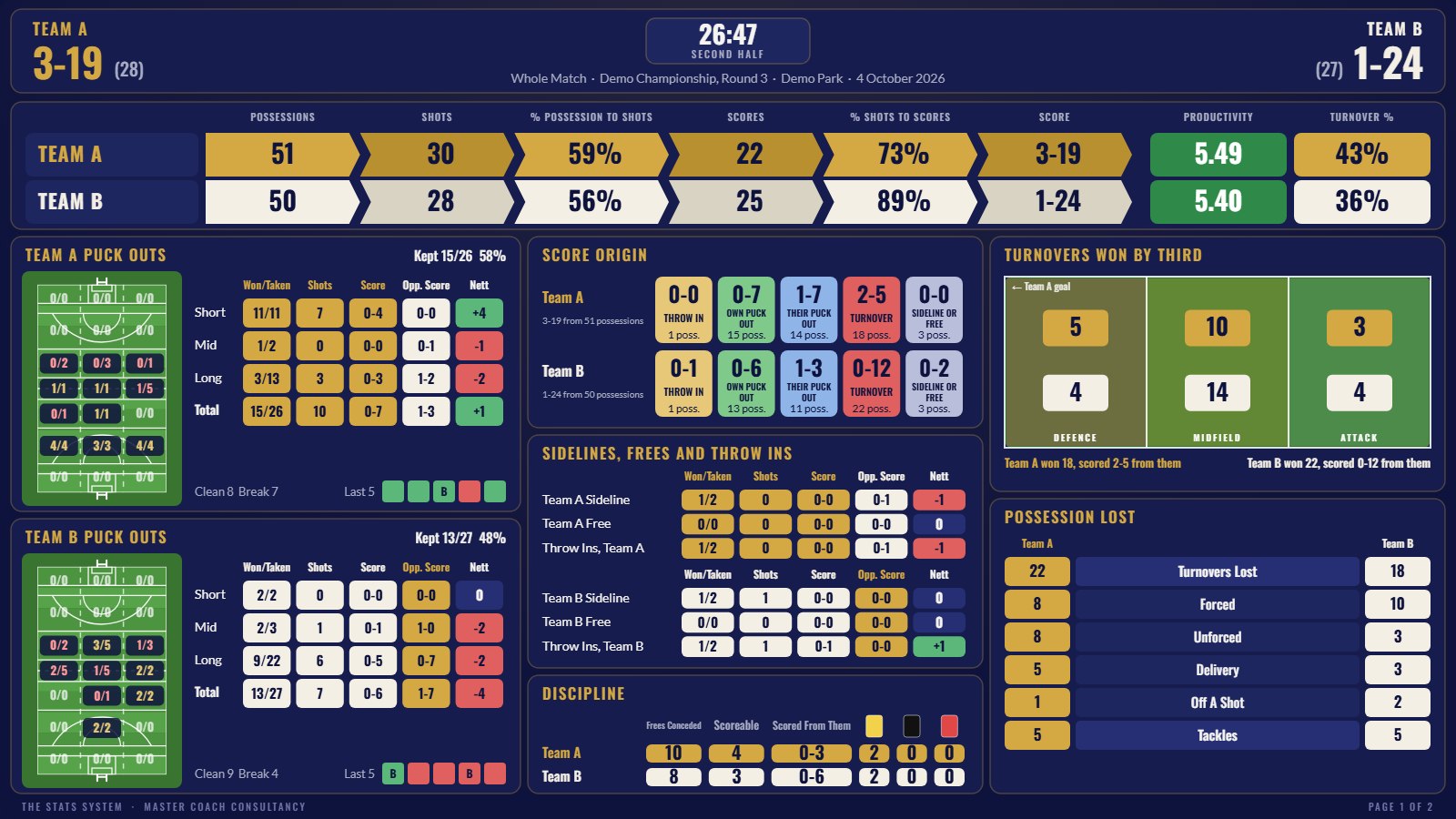
Page one of the Live Board from the demo match, in the second half.
The demo is a full match already tagged, open in your browser. It opens on the Live Board. Look around every tab. Nothing needs to be bought or downloaded to see it.
The Live Board
Two pages built for an iPad on its side, laid out the way match analysts lay out a board, so a coach can read it at a glance on the sideline or in the stand.
The Match
A banner for each team running possessions to shots to scores, with the percentage at each step, productivity in points per ten possessions and turnover percentage. Then each team’s puck outs or kick outs on the pitch and by length, won over taken, the shots and score from the ones they won, what the opposition scored straight from the ones they lost, and the nett, the same for sidelines, frees and throw ins, where every score came from, turnovers won by third, possession lost by type, tackles, and discipline with what was scored from the frees given away.
Shooting, Momentum And Players
Every shot outcome drawn on the goal, two pointers included, shooting by zone on the pitch for both teams, the live alerts, the top scorers, a large score worm that shows who is ahead, every run of scores without reply and the share of possession in every five minutes, and every player’s contribution.
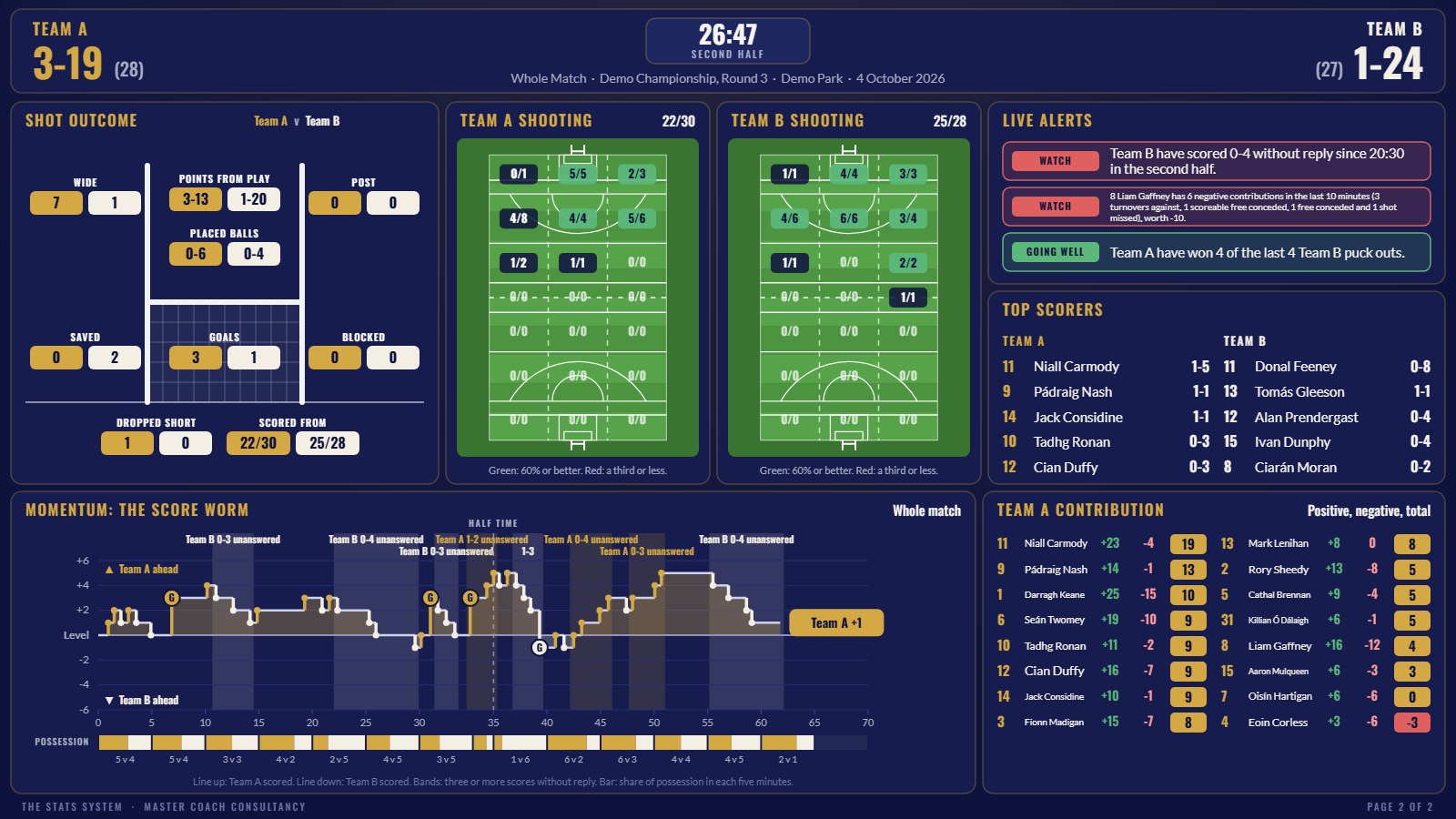
Page two of the Live Board from the demo match.
Swipe to turn the page, pick the whole match, either half or the last ten minutes, and download either page as a picture, exactly as it looks on the iPad, ready to send to the management team.
How It Works
The Setup
Before the throw in you pick your sport, your team and the opposition, then tick exactly the stats you want: shots, puck outs or kick outs, turnovers, throw ins, sidelines and frees, who gave away each free, cards, subs, player numbers, tackles, assists and where on the pitch each one happened. Tag a handful of stats on your own, or everything with a full stats team.
The Tag Page
Big buttons that fill the screen of a phone or an iPad, either way up, showing only the stats you ticked. The pad follows the ball: it shows whose possession it is and where it came from, then asks Shot or No Shot, and the way the other side gets the ball starts the next possession. A tag is two or three taps, the player number comes after, and the last five tags sit underneath with Undo and Edit. The screen stays awake while you tag.
The Live Room
Open a room and a code and a QR appear. Your taggers scan it, pick a job and start tagging, and every tag lands on every phone. Two taggers usually work one per team, each tagging what their own team wins. The coaches pick Coach View and watch the Live Board without tagging at all. Tags made with no signal are held on the phone and sent when the signal comes back.
The Dashboards
Behind the Live Board sit the full dashboards: where the ball was won and lost, possession to score, landing maps, turnover maps, shots by zone, momentum swings and what to talk about at half time, written out in plain sentences.
The Players
Every player's positive, negative and total contribution, built from points you can set yourself, with goalkeepers scored on their restarts, saves and goals conceded. Number the opposition too if you want to know who to mark next time.
The Report
Tick what goes into the report and download it at half time or full time, ready to print or send to the management team.
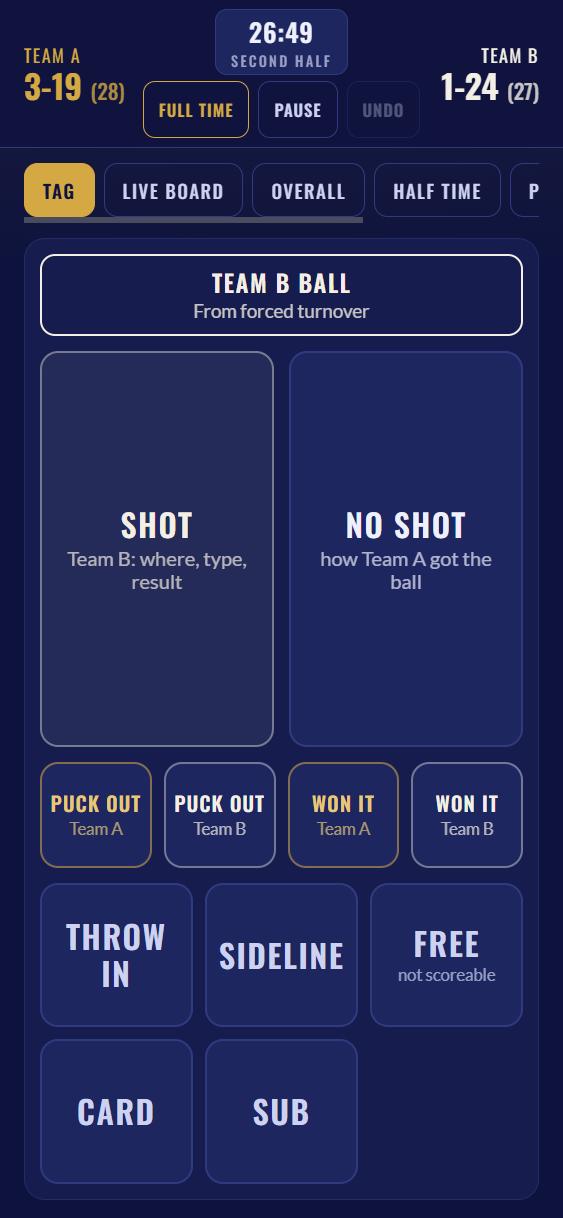
The tag page on a phone.
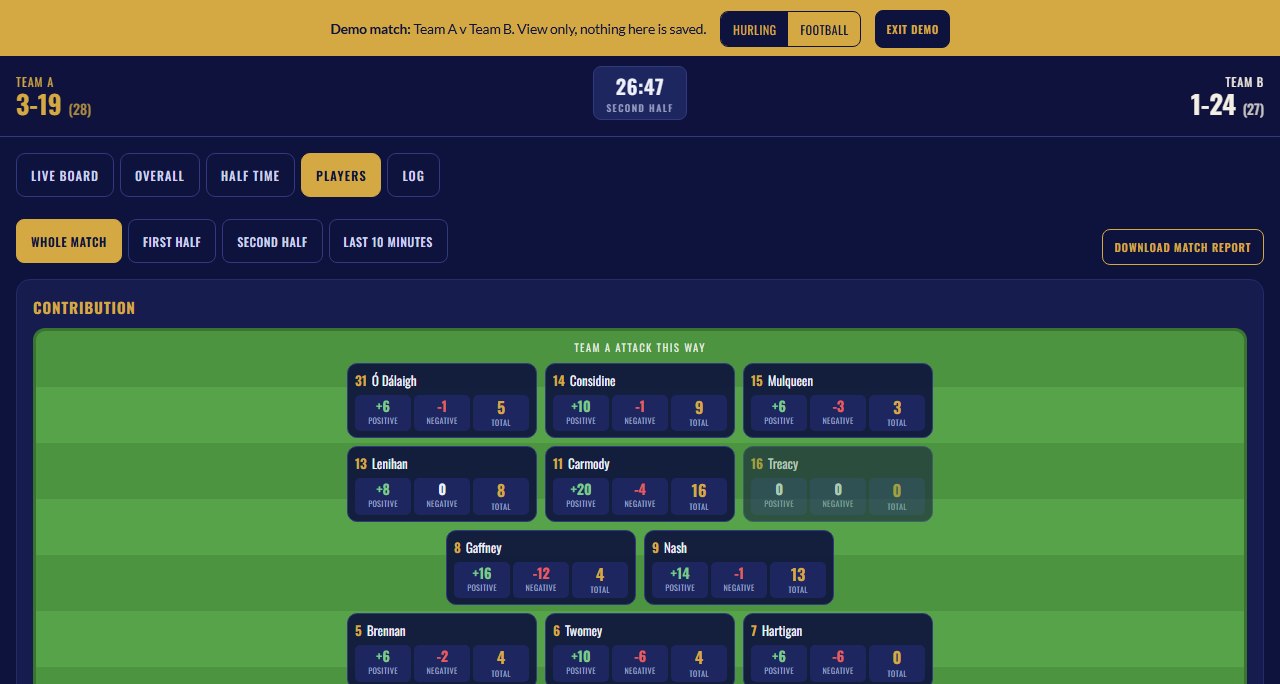
Player contribution in the demo match.
Built For Match Day
The Price
Your licence runs for twelve months from the day you buy it, and every update to the system is included. Your own password appears on screen the moment you pay and is emailed to you as well, issued in your name and held by you alone. It works on up to three of your own devices, your phone, your tablet and your laptop. Your taggers and coaches never need it. There is no subscription and nothing renews by itself.
Already bought? Open it at stats-hq.mastercoachconsultancy.com and enter the password from your email.
Who Built It
Built from inside inter county hurling and senior club play. These are the numbers I want in front of a management team while the game can still be changed, so I built the system that puts them there.